Linguistics 103
Bruce Hayes
UCLA
Finds all the minimal pairs for any pair of segments in a file of words. This software is strictly experimental, but perhaps worth it; it's nice to see all of the minimal pairs. Please don't try this software unless you are moderately computer-savvy.
To run the software, you need a computer running Windows; unfortunately there is no Mac version.
On the Web, find a downloadable electronic dictionary for your target language. A good source of free dictionaries is http://sourceforge.net/projects/freedict/; perhaps you can find others with a Web search engine. Many languages simply do not have downloadable dictionaries, so be prepared if necessary to give up on this and follow more standard procedures.
The downloaded dictionary has to be in the format of a text file. It can either simply have one word on each line, or it can have extra stuff (like a definition or an English translation) coming after the words on a line, provided that this extra material is separated by a tab. The extra material can include tabs in it; this doesn't matter. To rearrange a dictionary file so that it fits this description, use a spreadsheet program, making sure you pick the Save As option tab-delimited text.
Now, download this zipped file: MinimalPairFinder.zip
and put it wherever you would put a downloaded program. (See http://www.linguistics.ucla.edu/people/hayes/120a/FeaturePad.htm for advice on how to download and install Windows software. I recommend making a separate folder for every program you download.)
Using unzipping software (perhaps this software) unzip MinimalPairFinder.zip, find the Setup.exe file, and click on it. This will install the program.
You can access the program with Start, then Programs, then Minimal Pair Finder.
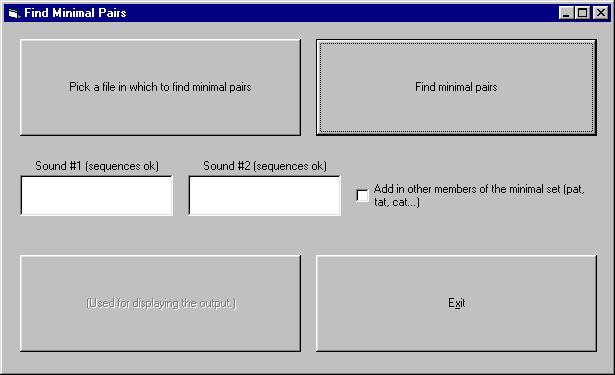
The interface:
has a button on the upper left, which opens a file menu. Click it first; it will reveal something like this:
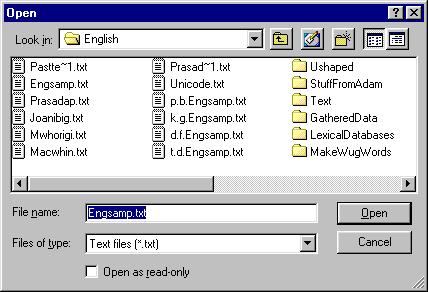
Navigate the folders and find your file, then click Open.
Then fill in the two sounds for which you want minimal pairs in the two white text windows (Sound #1 and Sound #2), and click the Find Minimal Pairs button on the upper right. I suggest you aim for sounds that are either similar to each other, or else common in the language as a whole.
There is a (still not well-worked out) option: if you check the box labeled "add in other members", the program will expand your minimal pair to a minimal triplet, quadruplet, etc. So if you were looking in English for minimal pairs with [t] and [d], and it found "tile" and "dial", it would also find "pile", "bile", "file", etc.
The program will crank away at your file, and eventually will show it's done by looking like this:
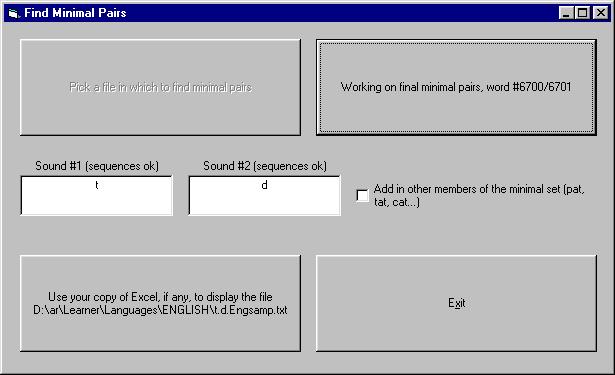
If your computer has a copy of Excel in the usual place (C:\Program Files\Microsoft Office\Office\excel.exe), this button will automatically open the output file. Otherwise, you have to hunt down the output file, which will be in the same folder as the input file, with the name:
First Sound.Second Sound.Original File Name
The danger with this program is that it gives you a lot of output, whereas for a Linguistics 103 term project you want only about 60 exquisitely selected words. Be sure to use your own brain to process and select from the computer's output, paying careful attention to what your own consultant says.
Feedback on this software is appreciated. My email:

Source code (Visual Basic 5) available on request.
Back to the Linguistics 103 Home Page
Last modified: Sept. 23, 2003